Inkprint LC100: Two-Color Printing with Pads and Rotating Plate – Excellent Opportunity for Printing Professionals
If you're looking for an efficient and versatile printing machine for your lab, the Inkprint LC100 is the ideal solution. This used printing machine is perfect for two-color printing , equipped with a pad and rotary table , in excellent condition and ready to deliver high performance. If you're looking for a product that combines quality, versatility, and a competitive price, the Inkprint LC100 is definitely the right option.
Inkprint LC100 Technical Data Sheet
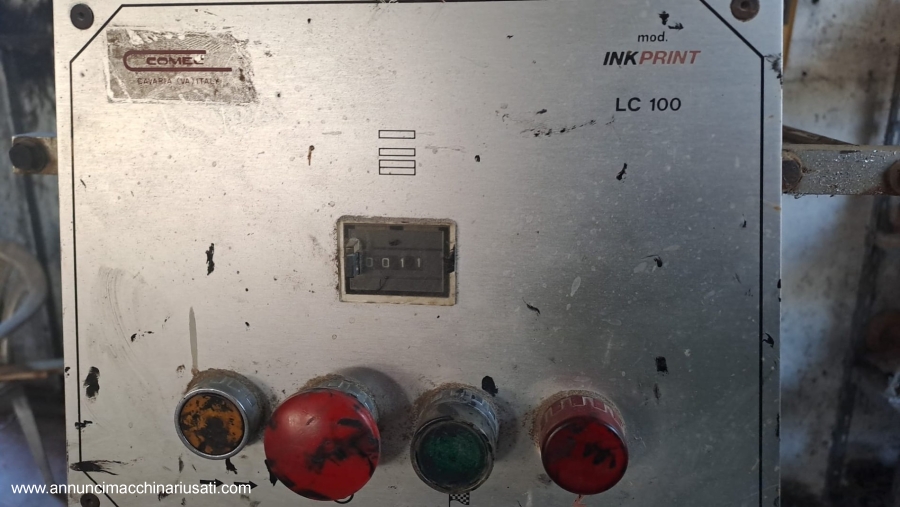
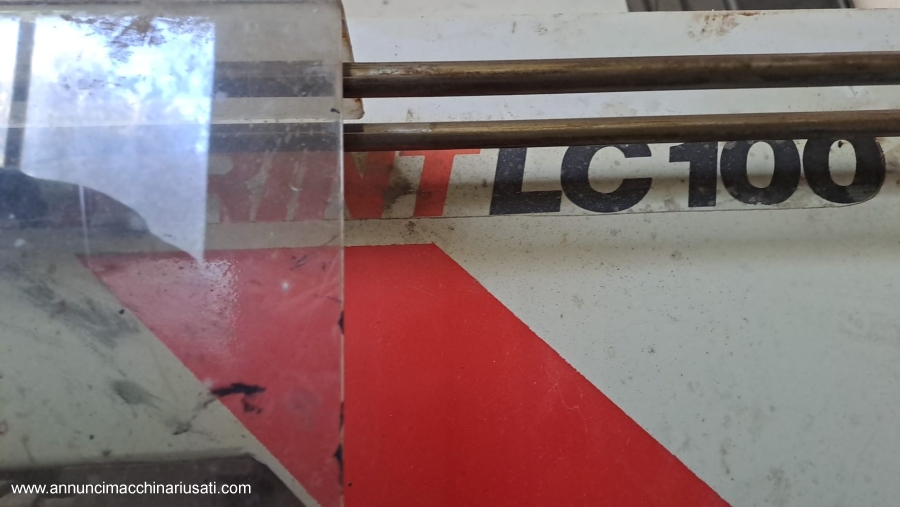
- Brand: Inkprint
- Model: LC100
- Machine type: Pad printing (two colors)
- Worktop: Rotating
- Power supply: Electric
- Number of colors: 2 colors
- Print type: Pad printing
- Rotating platen: Yes, with rotary motion for uniform printing
- Rotating table diameter: 300 mm
- Print size: Max 100 x 100 mm for single color
- Print speed: Max 1200 pieces per hour (depending on material and configuration)
- Overall machine dimensions:
- Length: 500 mm
- Width: 450 mm
- Height: 650 mm
- Weight: 65 kg
- Controls:
- Micrometric adjustment of the buffer
- Adjusting the print speed
- Setting buffer times
Visual and Structural Characteristics of the Inkprint LC100
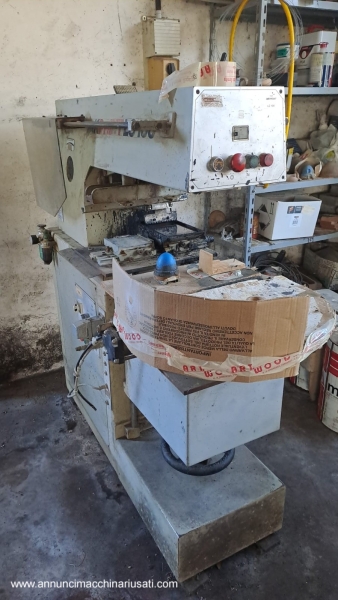
TheInkprint LC100 is a compact machine with a solid and robust appearance. Its steel frame is designed to withstand impacts and ensure a long lifespan, even with intensive use. The rotating plate, with a diameter of 300 mm, allows for easy and precise alignment of the print piece, improving process efficiency.
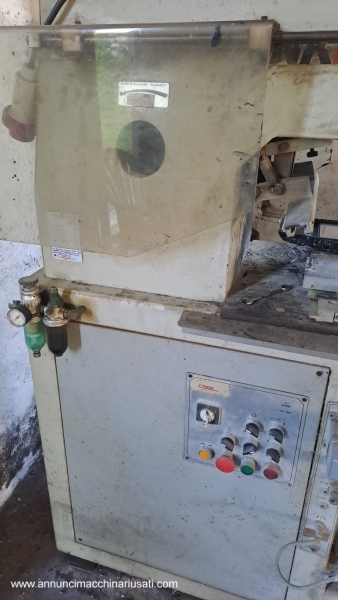
Visually, the Inkprint LC100 printer presents itself as a well-organized device, with all controls accessible and easily adjustable. The two print stations are designed to allow for quick pad changes, which speeds up the printing process. Thanks to the rotating platen, you can achieve consistent, high-quality prints on every product, even those with complex shapes.
How the Inkprint LC100 Works
Using theInkprint LC100 is simple and suitable even for those with no experience with complex printing machines. Here's the step-by-step procedure:
- Loading the material: Place the product to be printed on the machine, aligning it correctly with the rotating table.
- Color Selection: Adjust the pads to apply the desired colors. TheInkprint LC100 allows you to print up to two colors simultaneously, using two separate pads.
- Parameter Setting: Set the print speed and infill times. The print speed is 1200 pieces per hour, but this may vary depending on the material and print size.
- Starting the machine: Once set up, start the machine and watch the rotating plate in action, applying the colors to the product evenly and quickly.
- Print control: After each cycle, check the print quality and adjust the pads or parameters if necessary to obtain the best possible result.
Accessories Compatible with the Inkprint LC100
TheInkprint LC100 is a highly customizable printing machine. Here are some of the optional accessories that can be added to enhance its performance:
- Additional pad for printing on different surfaces or shapes.
- UV drying system, which speeds up the colour drying process.
- Additional support plan, to support larger or specially shaped products.
- Filters and automatic cleaning systems to ensure continuous operation without interruptions.
Materials that can be processed with the Inkprint LC100
TheInkprint LC100 is suitable for working with a wide range of materials, making it extremely versatile. The main materials it can process are:
- Plastic (PVC, ABS, polyethylene)
- Metal (small metal parts)
- Glass (for decorative items or packaging)
- Wood (for small decorations or craft work)
- Paper and cardboard (for advertising products or packaging)
- Fabrics (in apparel printing applications)
Maintaining the Inkprint LC100
To ensure yourInkprint LC100 continues to function perfectly over time, it's important to perform regular maintenance. Here are some tips for caring for your machine:
- Cleaning the pads: After each use, clean the pads to avoid ink buildup that can compromise print quality.
- Check the motors and rotation: Verify that the turntable operates smoothly and correctly. Lubricate the moving parts to reduce wear.
- Electronics Check: Check that all circuits and controls are intact and functioning properly. Avoid dust and ink buildup on electronic components.
- Regular inspection of settings: Check that all adjustments, such as speed and buffer time, are set correctly.
Safety in Using the Inkprint LC100
Like all industrial machines, theInkprint LC100 requires safe use to avoid accidents. Here are some tips to ensure safety during use:
- Use protective equipment such as glasses and gloves when printing.
- Avoid direct contact with pads and rotating parts when the machine is in operation.
- Place the machine on a stable surfaceto avoid vibrations that could compromise print quality.
- Adjust the speed and padding parameters correctly to avoid errors and ensure quality printing.
If your Inkprint LC100 machine is not CE certified, we recommend that you have it serviced to comply with current regulations, ensuring that the safety system complies with European standards.
Why Should You Buy a Used Inkprint LC100?
Buying a used printing press like theInkprint LC100 is a profitable opportunity. Not only does it save you money on the purchase price, but if properly maintained, a used machine can provide excellent performance for years. TheInkprint LC100 is a versatile machine, allowing you to print on a wide range of materials and achieve precise, fast prints. Furthermore, the ability to print two colors simultaneously increases its efficiency, making it ideal for medium-volume production, such as that found in many small or medium-sized businesses.
Investing in a used machine like theInkprint LC100 is a smart choice to reduce costs without sacrificing quality. If you want a machine that helps you achieve excellent results quickly and affordably, don't miss this opportunity!